
Easy for Everyone
No command line and no confusing setup. Encrypt, sign, and manage your keys with simple clicks, even if this is all new to you.

Easy for Everyone
No command line and no confusing setup. Encrypt, sign, and manage your keys with simple clicks, even if this is all new to you.
Everything in One Place
Protect files, text, and email, and manage all your keys, from a single app. You do not need separate tools.
Truly Private
Everything runs on your own computer. No account, no cloud, no tracking. Your secrets never leave your machine.
Works on Every Computer
Use it on Windows, macOS, and Linux, or carry it on a USB drive and leave nothing behind.
Free and Open Source
Always free, with no hidden costs. Anyone can check the code, and it is built to last.
Modern and Future-Proof
Choose the trusted GnuPG engine or a modern Rust one, and make new keys that stay safe even when quantum computers arrive.
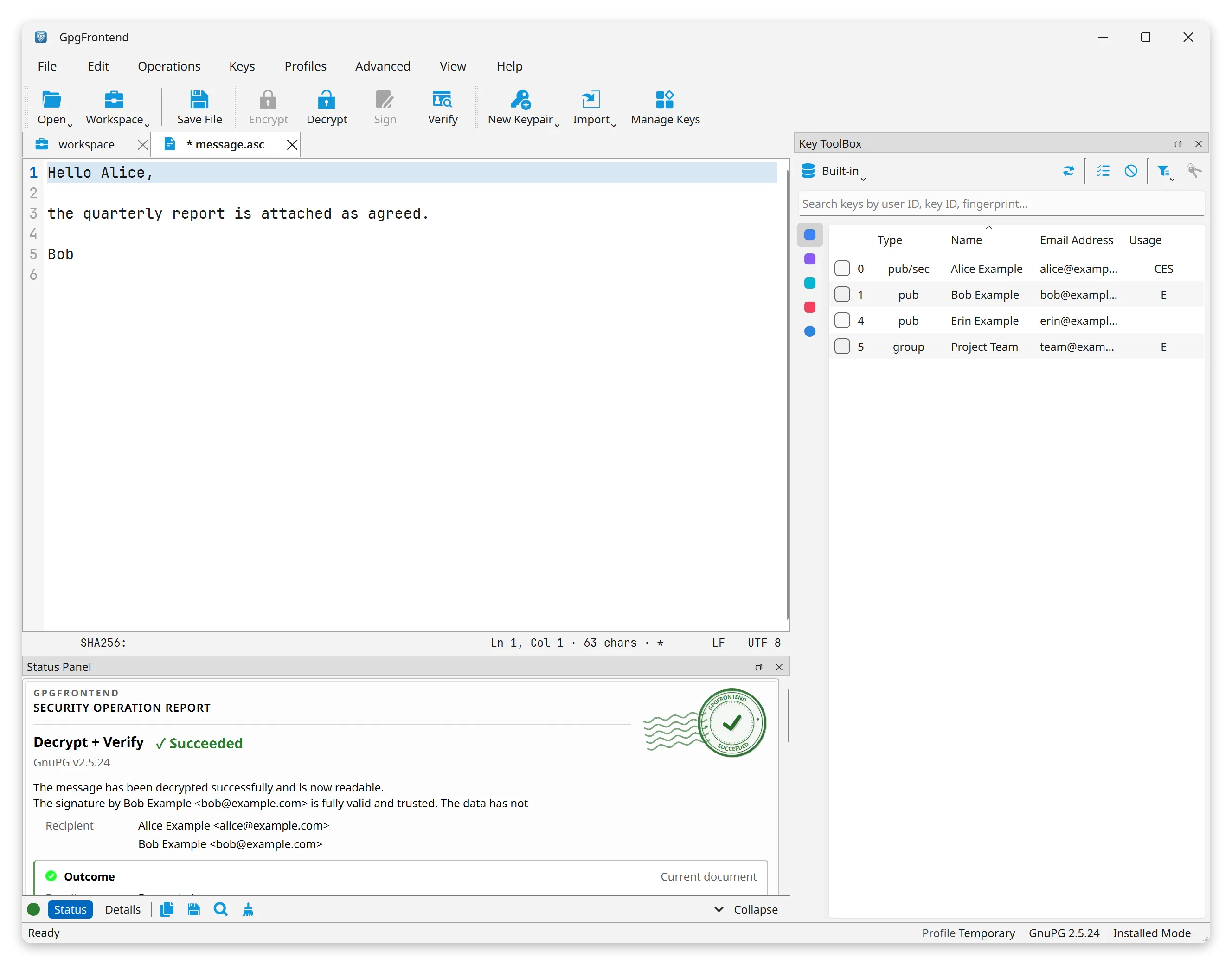
A clean, focused workspace with no clutter. It gives you the shortest path to encrypting, signing, and managing your keys.
GpgFrontend fits whatever you need to protect:
GpgFrontend works for you whether you are new to encryption or use it every day.
Never used encryption before? You can be up and running in a few minutes:
Not sure what a “key” is? Start with Fundamental Concepts. It explains everything in plain words. You need no background.
Already know OpenPGP? Jump straight to what makes GpgFrontend different: